
AI Agents Knowledge Base Tables
Give your AI bots instant access to spreadsheets! Table Search in HighLevel Knowledge Base lets you upload CSV files and query them with natural-language questions, turning static rows of data into dynamic knowledge your bots can use during conversations.
TABLE OF CONTENTS
What is Table Search in Knowledge Base?
Key Benefits of Table Search in Knowledge Base
Setup Table Search in Knowledge Base
CSV File Requirements
Semantic Search Intelligence
Smart Table Processing
Frequently Asked Questions
What is Table Search in Knowledge Base?
Table Search adds a new “Table Source” type to HighLevel Knowledge Base. By ingesting CSV files (up to 30,000 rows and 20 columns per location), the platform semantically indexes every record so your AI bots can answer questions about customers, inventory, transactions, or any other structured data you provide. Unlike keyword search, HighLevel applies semantic similarity matching, allowing users to ask plain-English questions and receive context-aware results.
Key Benefits of Table Search in Knowledge Base
Bring your spreadsheet data to every AI conversation with advantages that matter to end users:
Natural-language queries on tabular data—no formulas or filters required
Semantic search intelligence for accurate, context-aware answers
Supports large CSVs (30 k rows, 20 columns) without performance tuning
Unlocks data that web-page and document sources can’t capture
Empowers bots to handle customer records, product catalogs, KPIs, and more
Setup Table Search in Knowledge Base
1. Open AI Agents → Knowledge Base.
2. Edit an existing Knowledge Base, or click Create Knowledge Base and give it a name & description.
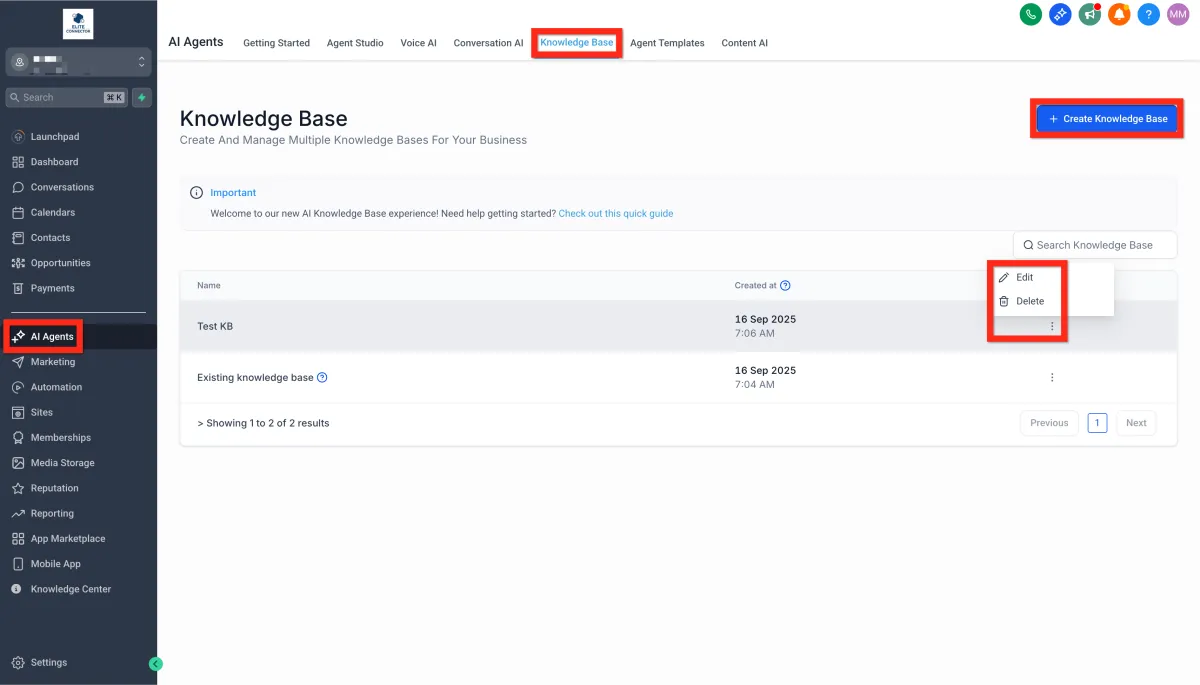
3. Click Add Source, then choose Table Source
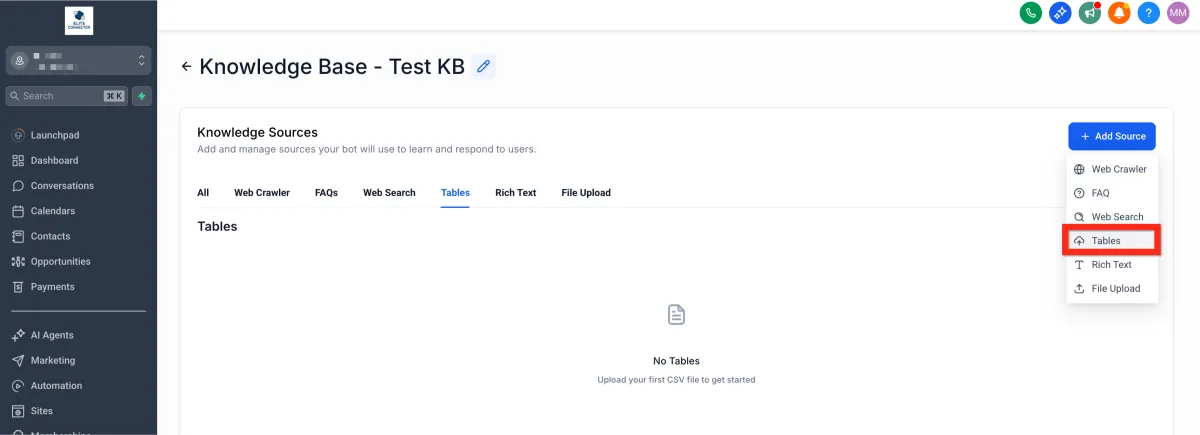
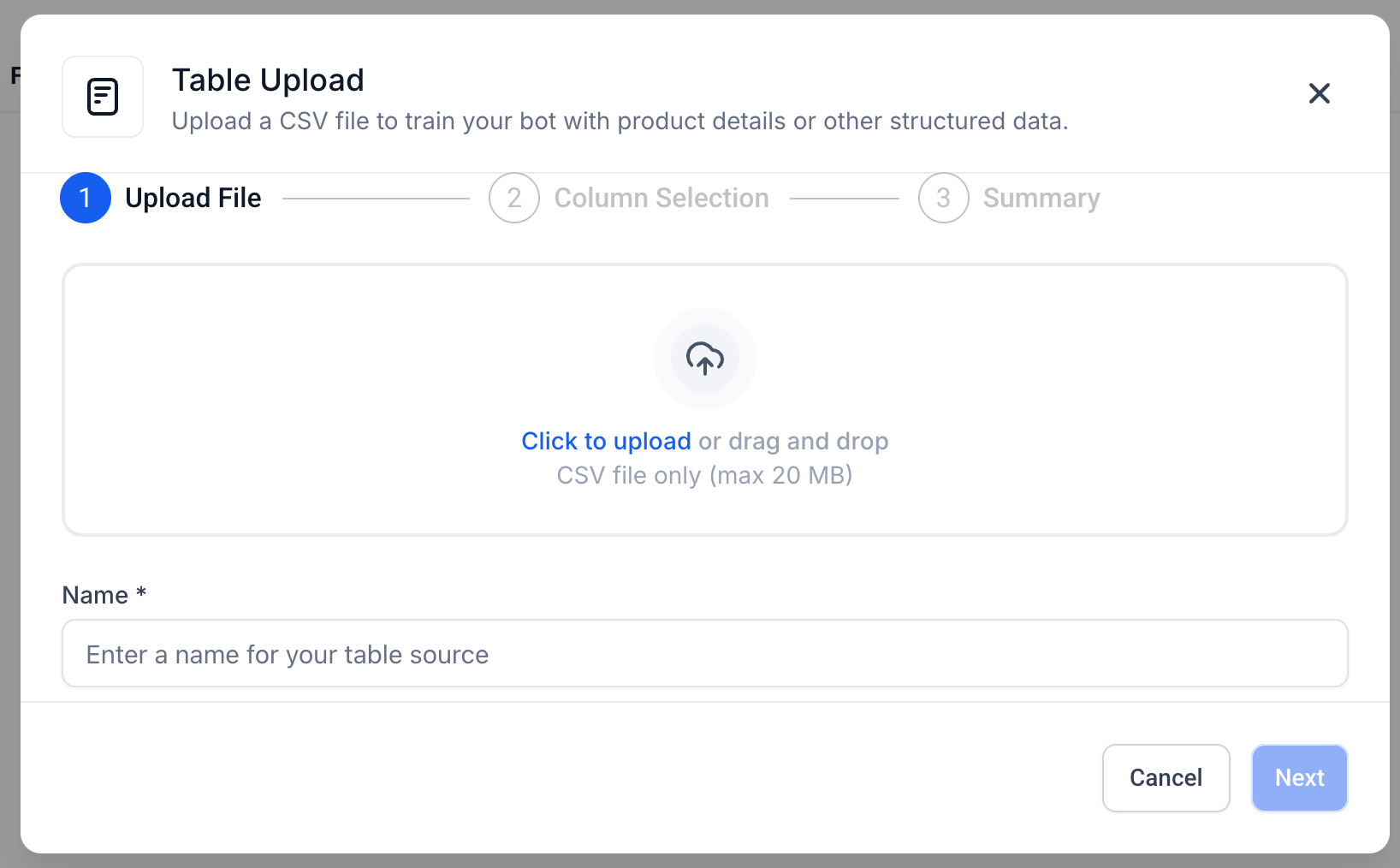
4. Upload your CSV file (drag-and-drop or file picker).
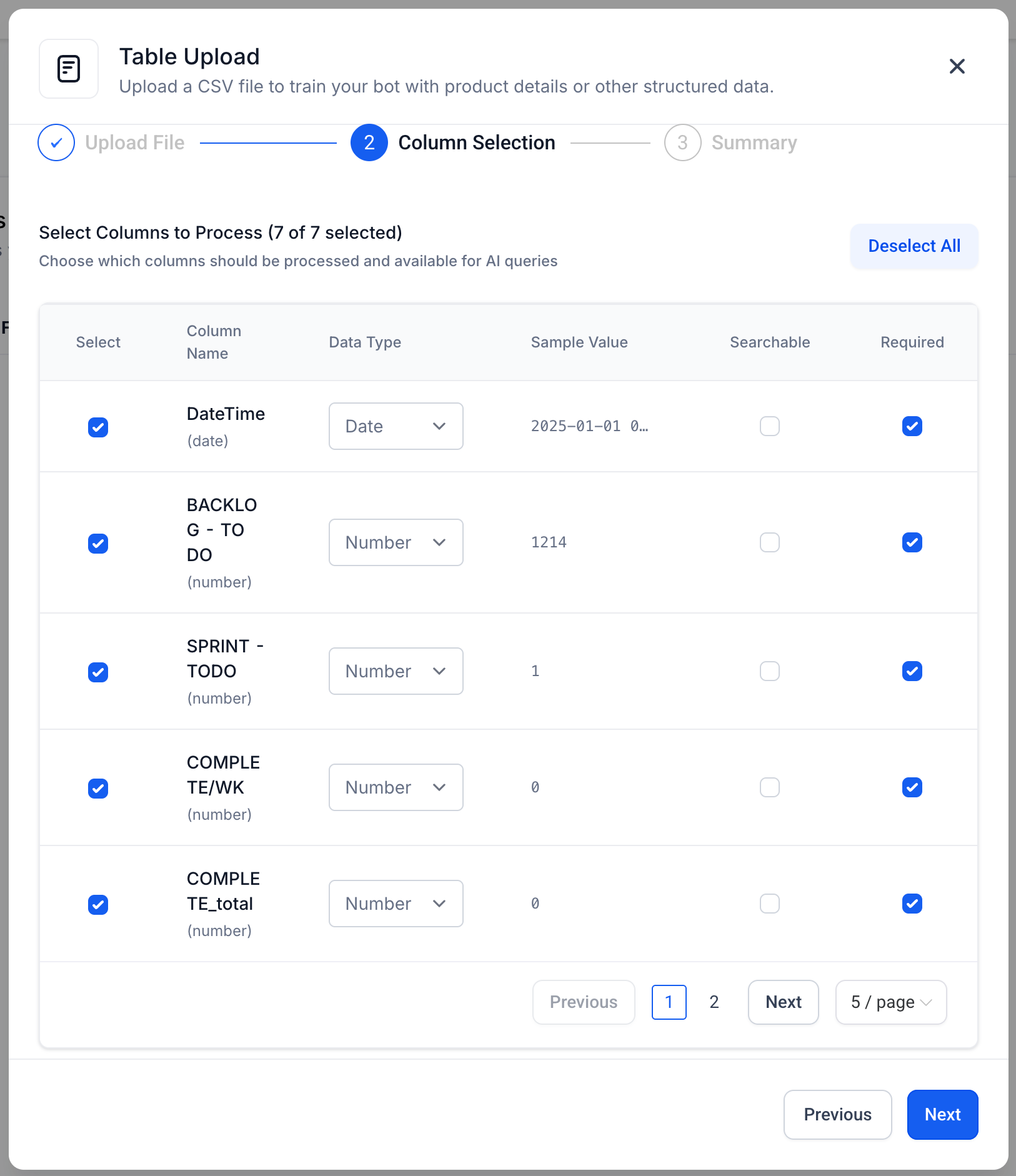
5. Review detected columns; adjust data types if prompted.
6. Click Save to index the table. Progress shows chunking status.
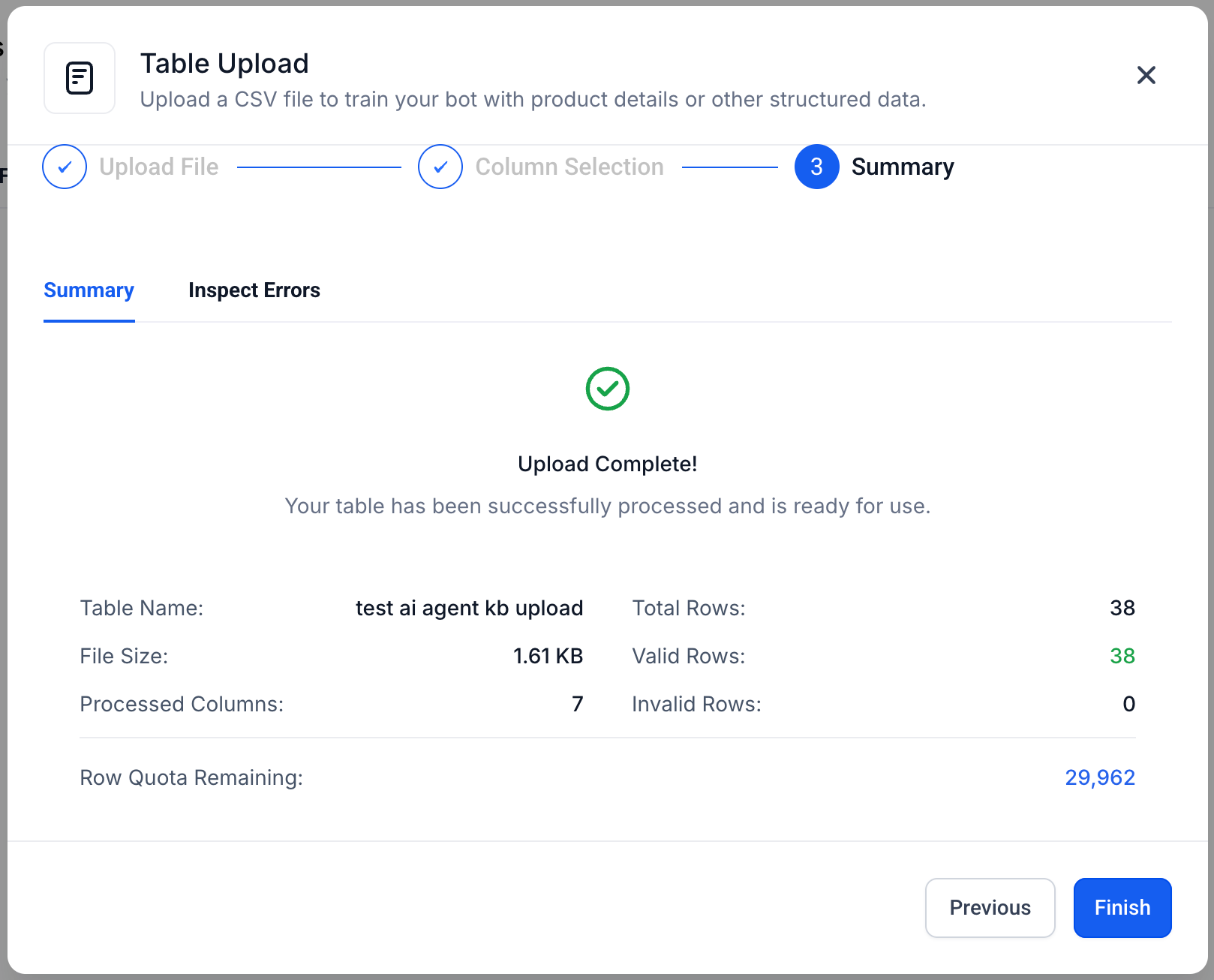
7. Attach the Knowledge Base to your AI bot (Chat, Voice, or Workflow AI) as usual.
8. Test a sample question like “Which customers have overdue invoices?” to confirm results.
CSV File Requirements
Understanding the file specifications ensures a flawless upload.
Format: .csv only (UTF-8 recommended)
Size limits: 30,000 rows and 20 columns per location (under 20MB per file)
Header row: First row must contain column names
Data types: Automatic schema detection with 80 % confidence threshold
Clean data: Remove null values, hidden formulas, merged cells, etc
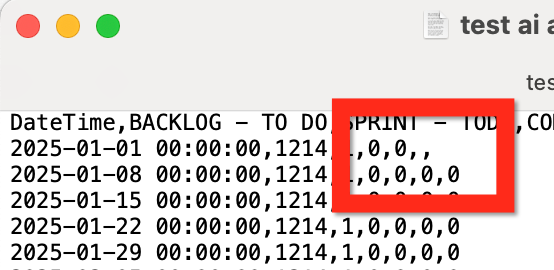
The CSV can be rejected at several points. For example, if the format of the CSV is accepted, the data itself might still contain an error.
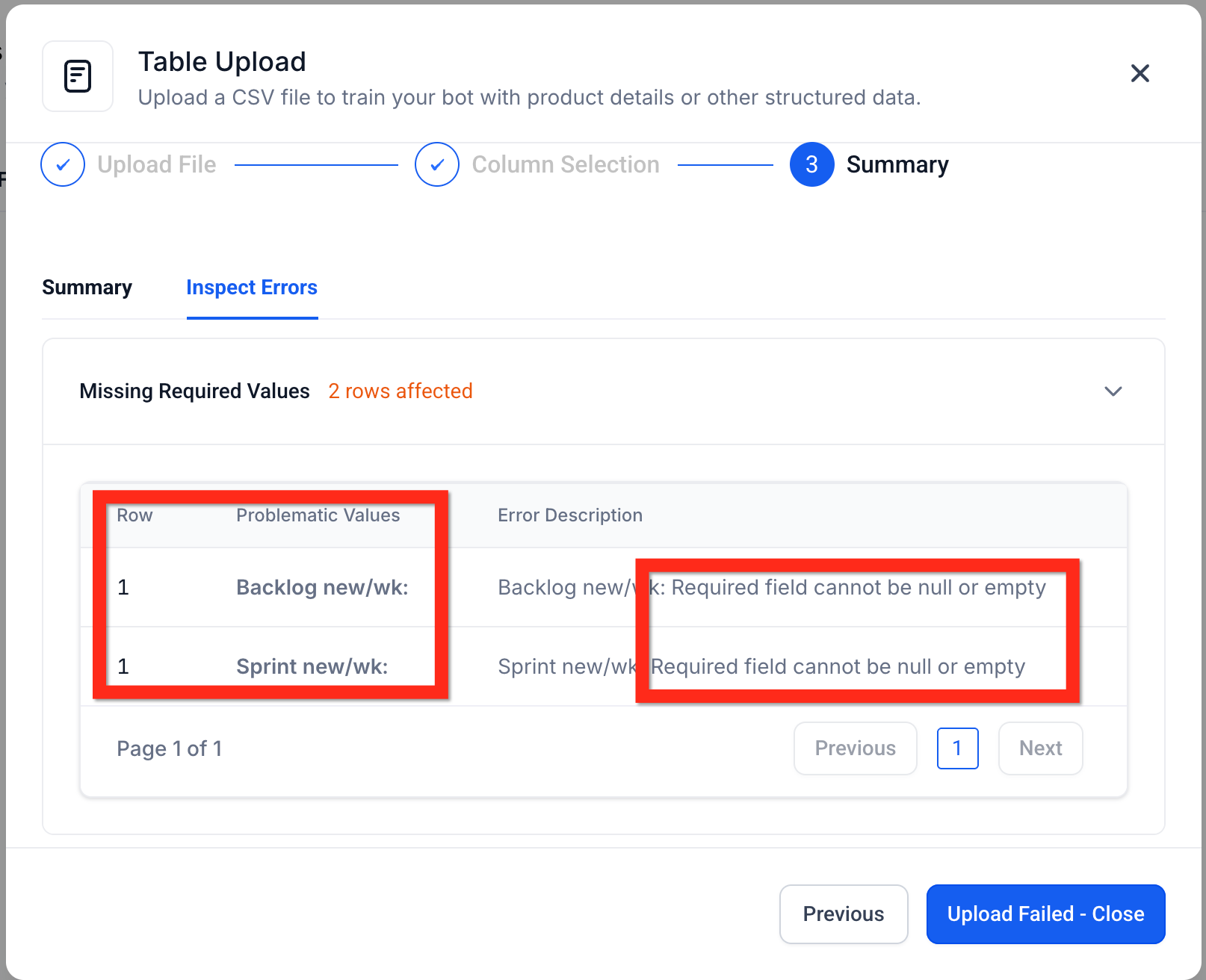
In this case you can inspect the CSV manually in a spreadsheet program or even a text editor.
Semantic Search Intelligence
HighLevel converts each table row into vector embeddings so the bot can “understand” meanings rather than exact words. This enables queries like “Show me customers who complained about billing” or “Which orders shipped overnight last week?” The engine compares the user’s question to every row chunk and returns the most semantically similar matches—no SQL needed.
Smart Table Processing
Behind the scenes, HighLevel:
Detects column types (text, number, date, etc.) with 80 % accuracy
Chunks rows into groups of five (max 2,000 characters) for efficient indexing
Stores chunk metadata so answers can reference the correct records
Frequently Asked Questions
Q: Can I upload Excel (.xlsx) files?
A: Not yet—export or save your sheet as CSV before uploading.
Q: What happens if my CSV exceeds 30k rows?
A: Split the file into smaller chunks; create multiple Table Sources within the same Knowledge Base.
Q: How soon are new CSV uploads available to bots?
A: Typically within a few minutes—the indexing progress bar will show when processing is complete.
Q: Does Table Search support filters or sorting in the query?
A: Filtering, comparison, and sorting features are coming soon; for now, ask descriptive questions or refine with follow-ups.
Q: Will table data appear in the Response Info sidebar?
A: Yes—rows that informed the answer are cited, so you can verify or edit them on the spot.
Q: Can I restrict table access to specific bots?
A: Yes—only bots linked to the Knowledge Base containing your Table Source can query it.
Q: How is privacy handled for sensitive CSV data?
A: Table Sources inherit existing Knowledge Base security; only users with access to that Knowledge Base can see or query the data.