Getting Started - Connect Personal Inbox
Keeping track of client conversations can be tricky when you're juggling multiple inboxes. But don't worry, we've made it super easy to sync your Gmail or Outlook inbox right into HighLevel. This means you'll see all your customer interactions in one unified place, so you'll never miss an important follow-up again.
TABLE OF CONTENTS
Connect Gmail or Outlook
Want some extra tips? Check out these helpful guides:
Use Your Connected Email
Related Articles
Connect Gmail or Outlook
Ready to streamline your email management? Here's how you can quickly connect your inbox:
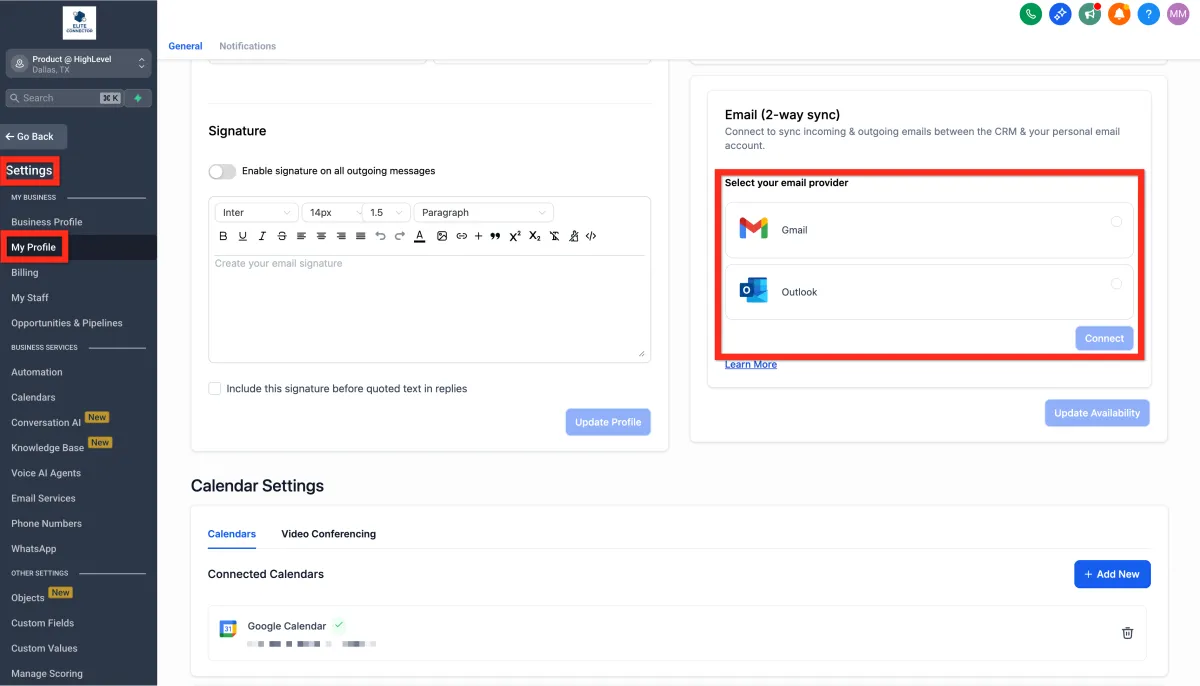
Go to Settings > My Profile > Email (2-way sync).
Choose Gmail or Outlook, then click Connect.
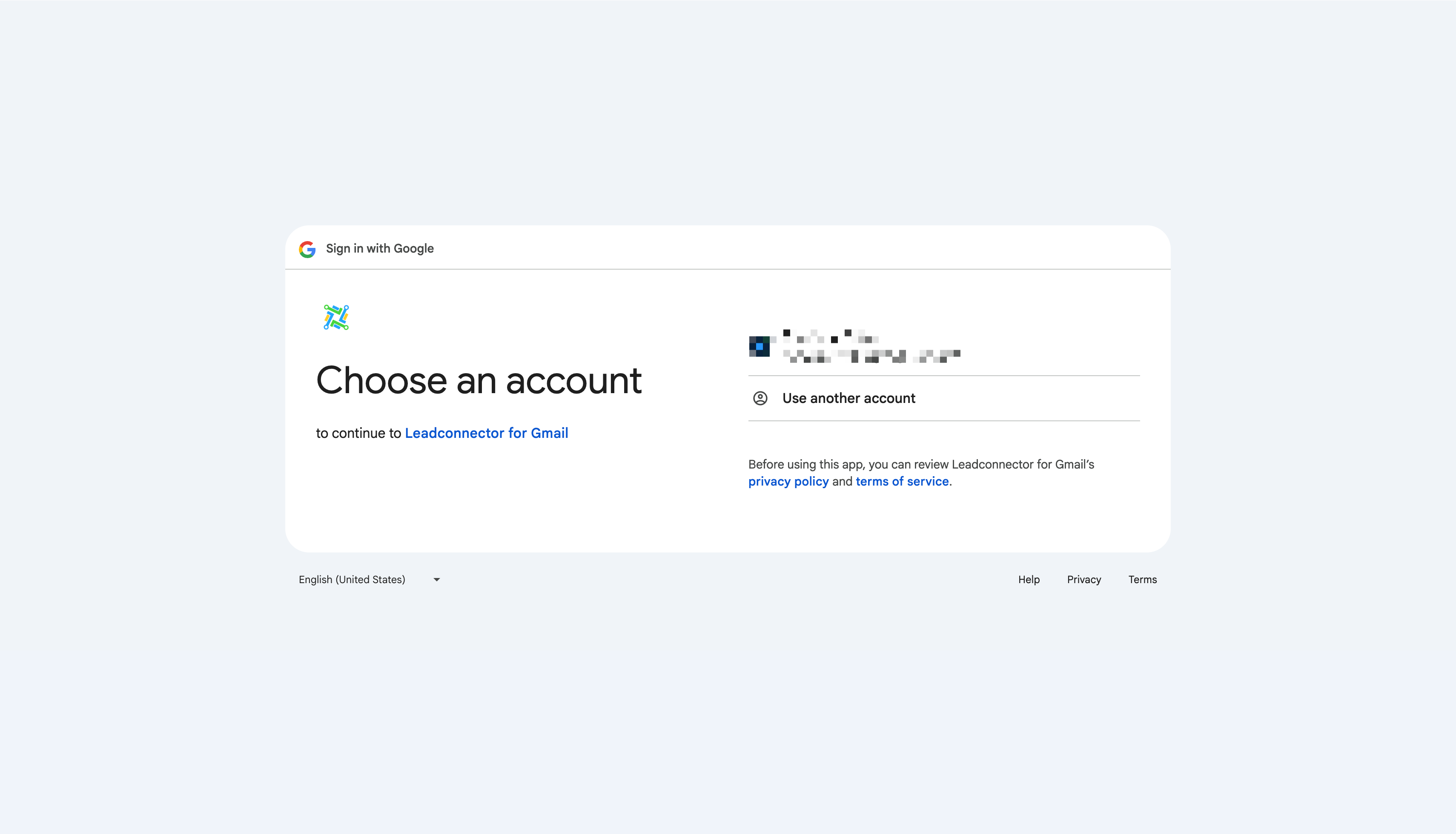
Follow the prompts to accept permissions. It's safe and secure!
Use Your Connected Email
Now that you've got your inbox connected, you're all set to manage your emails directly from HighLevel. Here's how simple it is to start sending emails:
Navigate to Conversations.
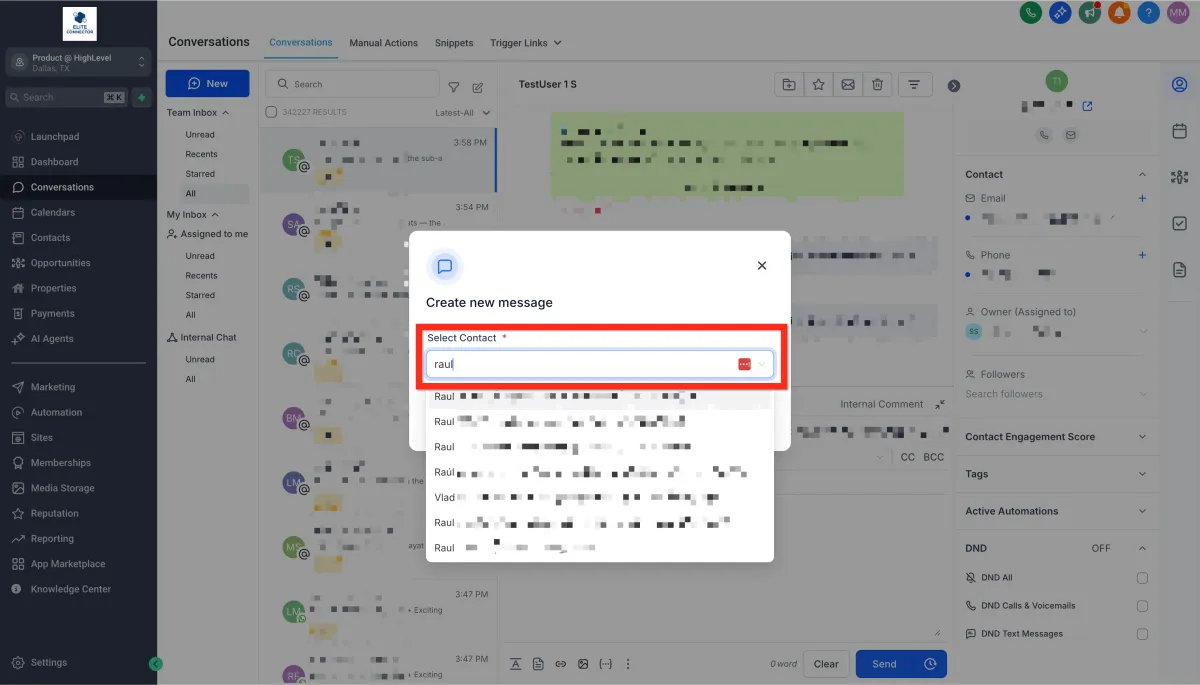
Click on Create New Message (the pencil-on-paper icon).
Select Direct Message.
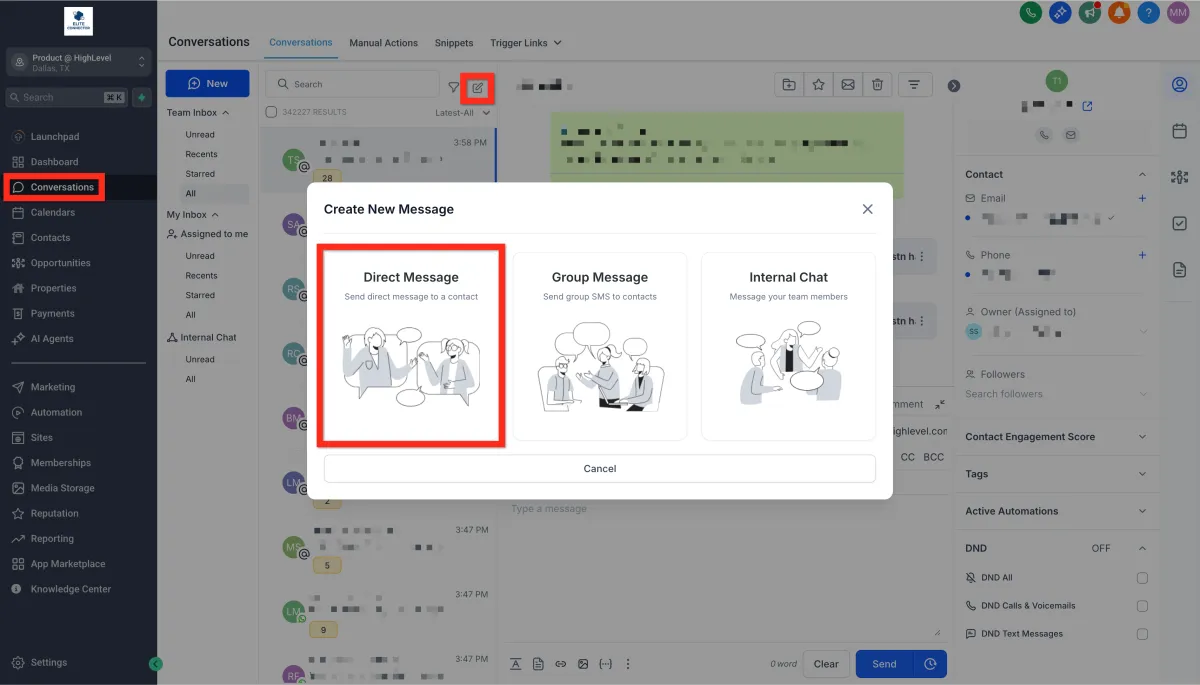
Choose your contact and click Continue.
Your connected email address will automatically populate in the "From" field.
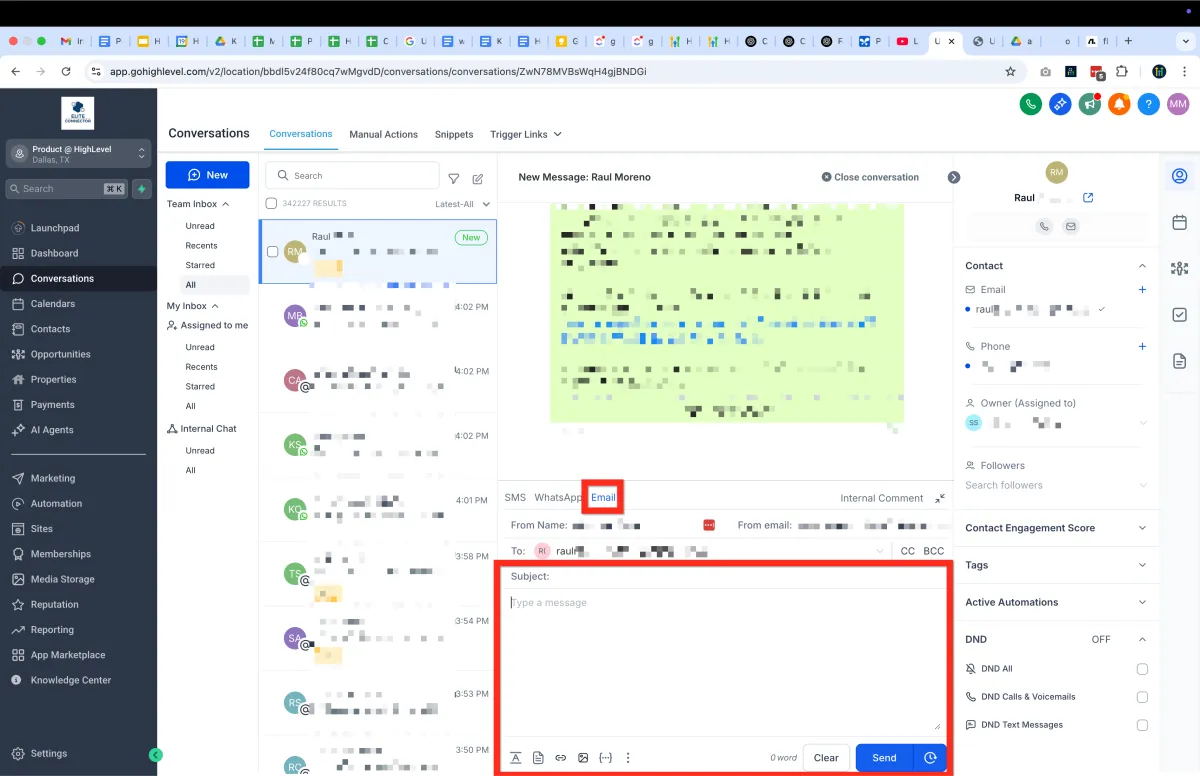
Your emails will seamlessly sync both ways—from HighLevel to your personal inbox and back again—so you're always in sync.
Next, explore how you can automate responses and workflows to make client communication even easier!