
Getting Started - Launch A Funnel
Ready to turn your website visitors into loyal customers? Setting up a high-converting funnel is easier than you think! Follow these simple steps to quickly capture leads, enhance your marketing efficiency, and grow your customer base.
TABLE OF CONTENTS
Create a Funnel Options
Create a Funnel From Template
Create a Form
Edit an Existing Funnel
Add a Domain to a Funnel
Create a Funnel Options
Every great journey starts with the first step, and in this case, it’s creating your funnel. Let's get started:
1. Go to Sites > Funnels.
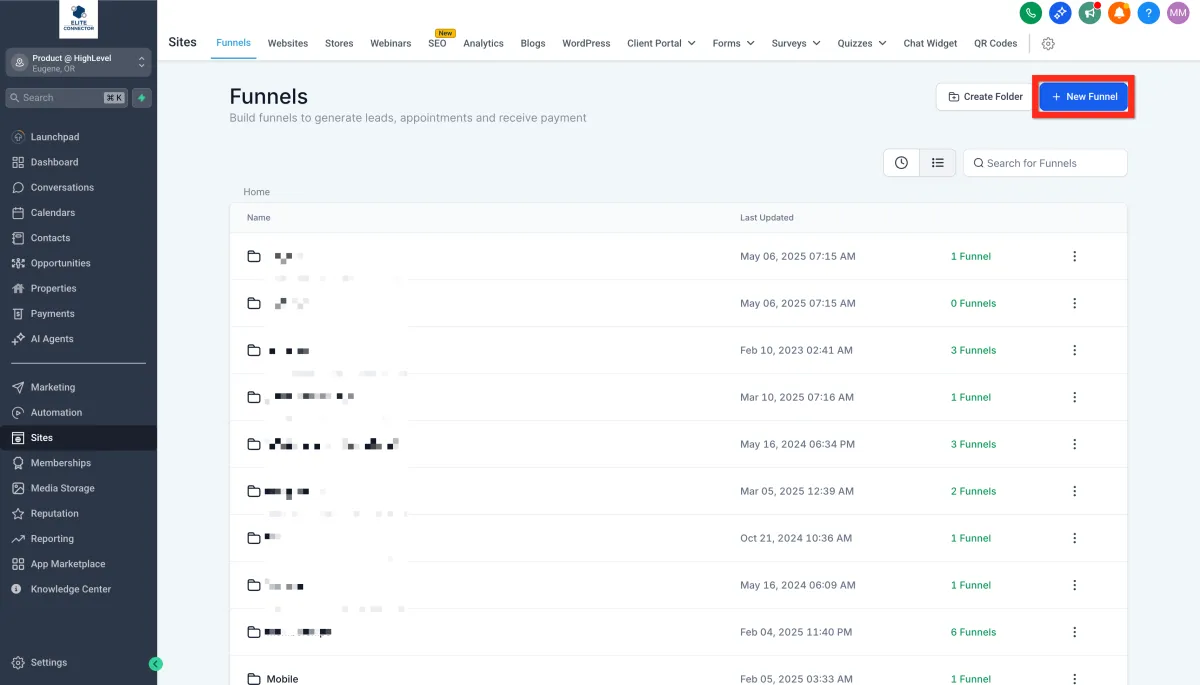
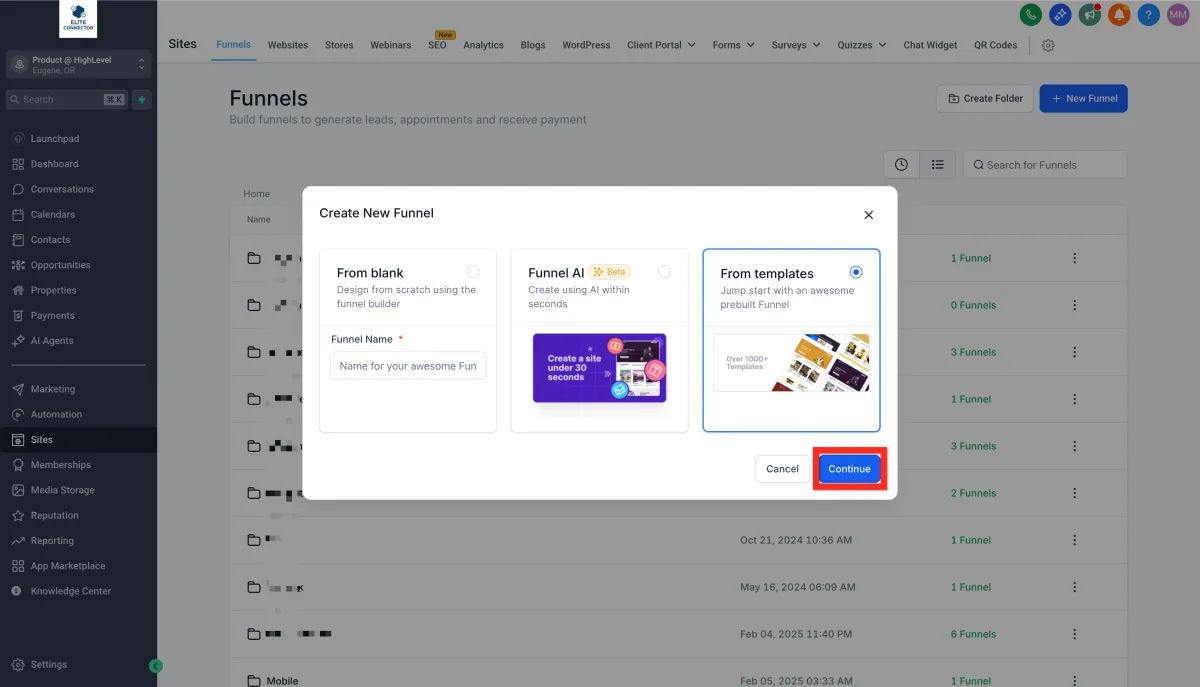
2.Click New Funnel, then select one of these options:
1. From Blank (build your own)
2. Funnel AI (AI-powered creation)
3. From Templates (use a pre-designed funnel)
Next step: Ready for more? Dive into customizing your funnel design to match your brand personality!
Create a Funnel From Template
Save time and start strong! Templates provide a professional design that's proven to convert, allowing you to focus on fine-tuning rather than starting from scratch.
1.Navigate to Sites > Funnels
2. Click New Funnel > From Template > Continue
3. Open the Template Library.
4.Search, filter, and sort through the templates.
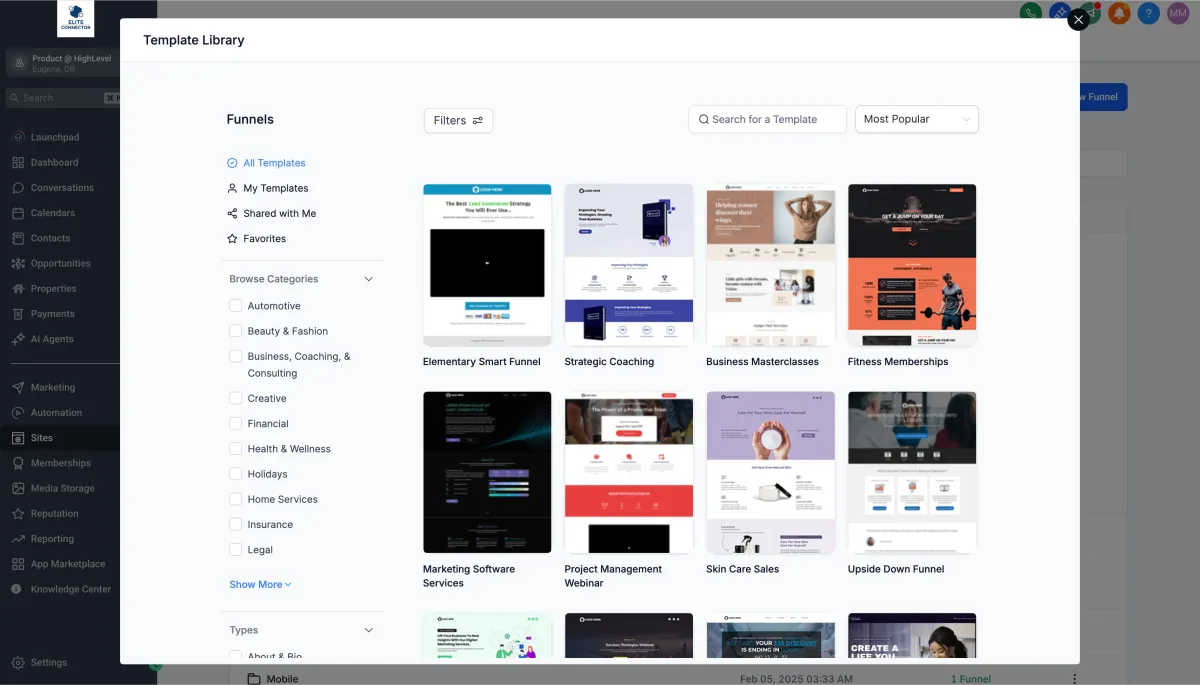
5. Preview your chosen funnel template.3. Select the type of field you need..
6. Click Continue.
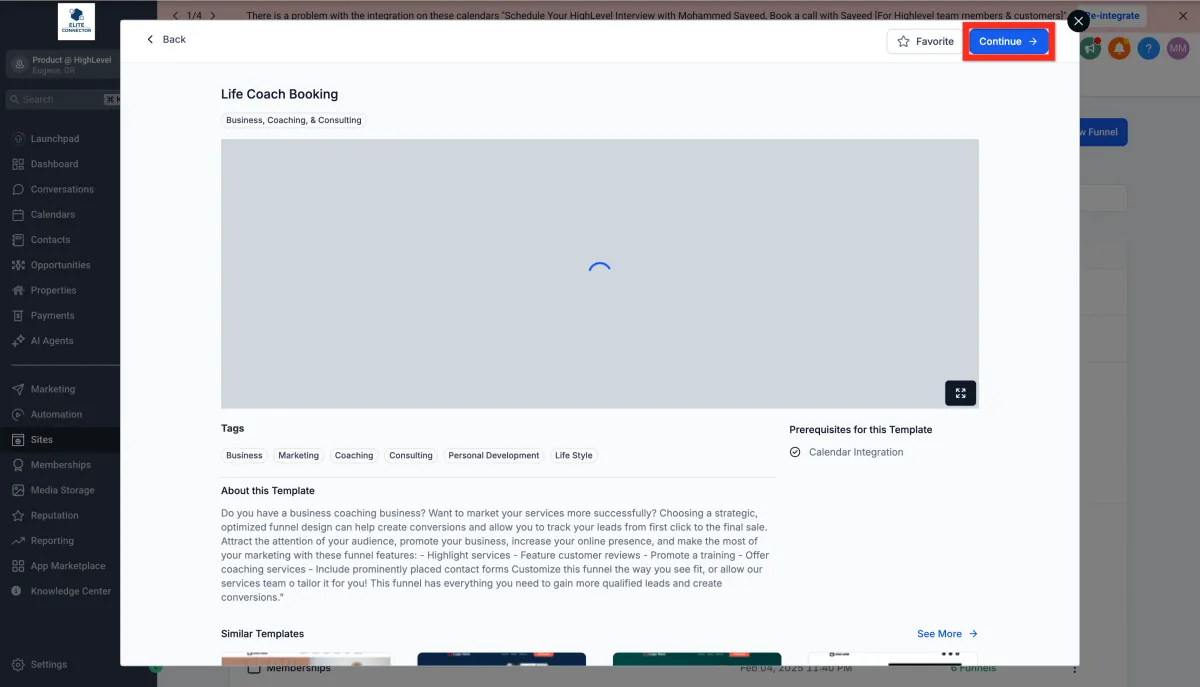
7. Customize it in the Funnel Editor.
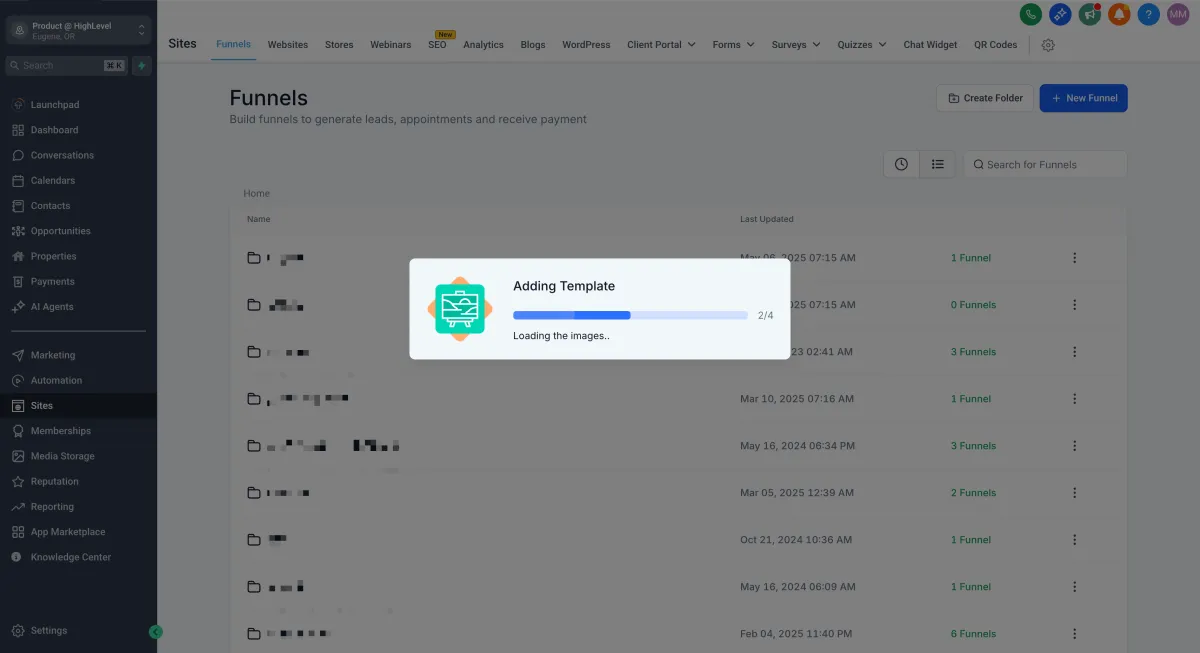
8. Click Save..
Create a Form
Forms are the heart of lead generation. Design a form that's engaging and easy to fill out, capturing the right information effortlessly.
1. Navigate to the Form Builder (either through the Form Picker in the Funnel Editor or directly)
2. Click Add Form
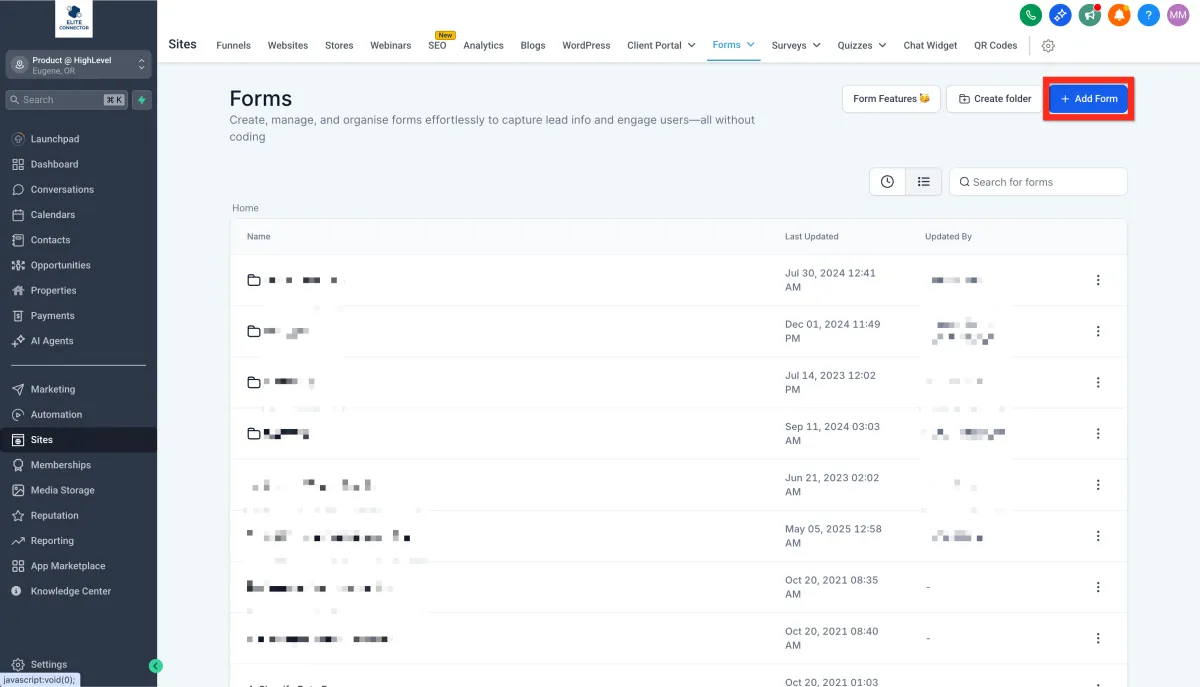
3. Customize fields and branding using the Form Editor
4. Click Save.
Edit an Existing Funnel
Keep your funnels fresh and relevant. Easily update existing funnels to respond quickly to market changes or new strategies.
1. Navigate to Sites > Funnels.
2.Select and click your funnel from the Funnel List.
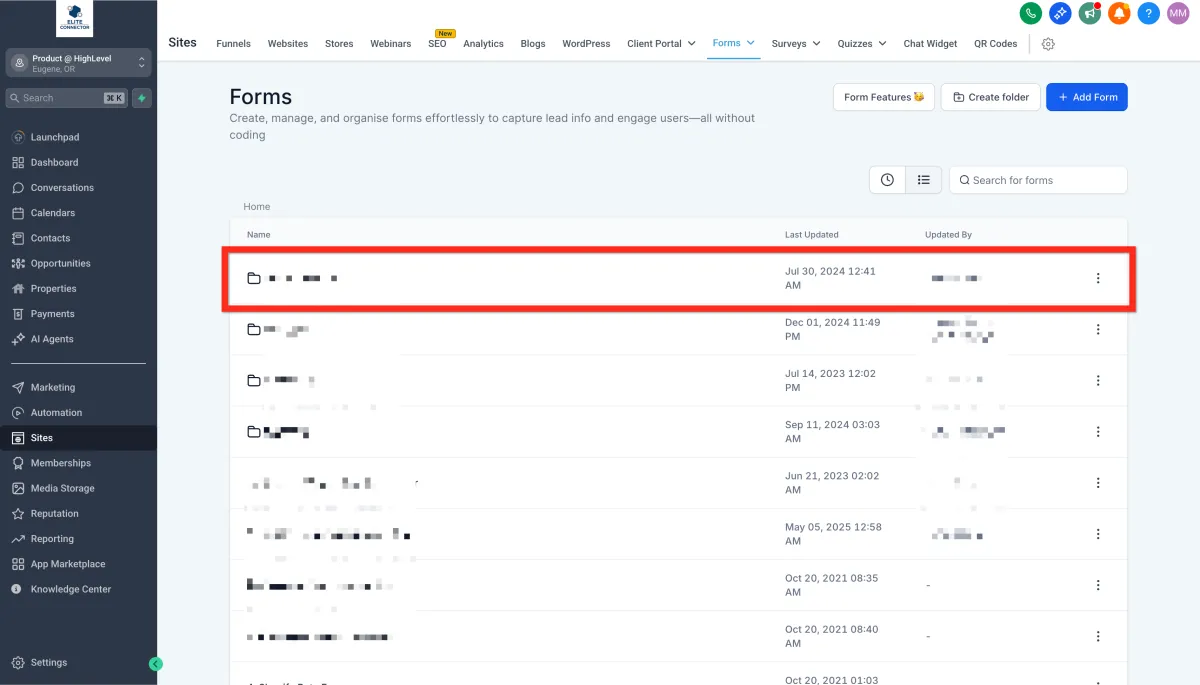
3. Make your edits in the Funnel Editor.
4. Click Save.
Next step: Why not check analytics to see how well your updates are performing?
Add a Domain to a Funnel
Your funnel deserves a memorable domain. Connect your funnel to your own domain to enhance credibility and professionalism.
1. Go to Settings > Domains.
2. Click Connect a Domain..
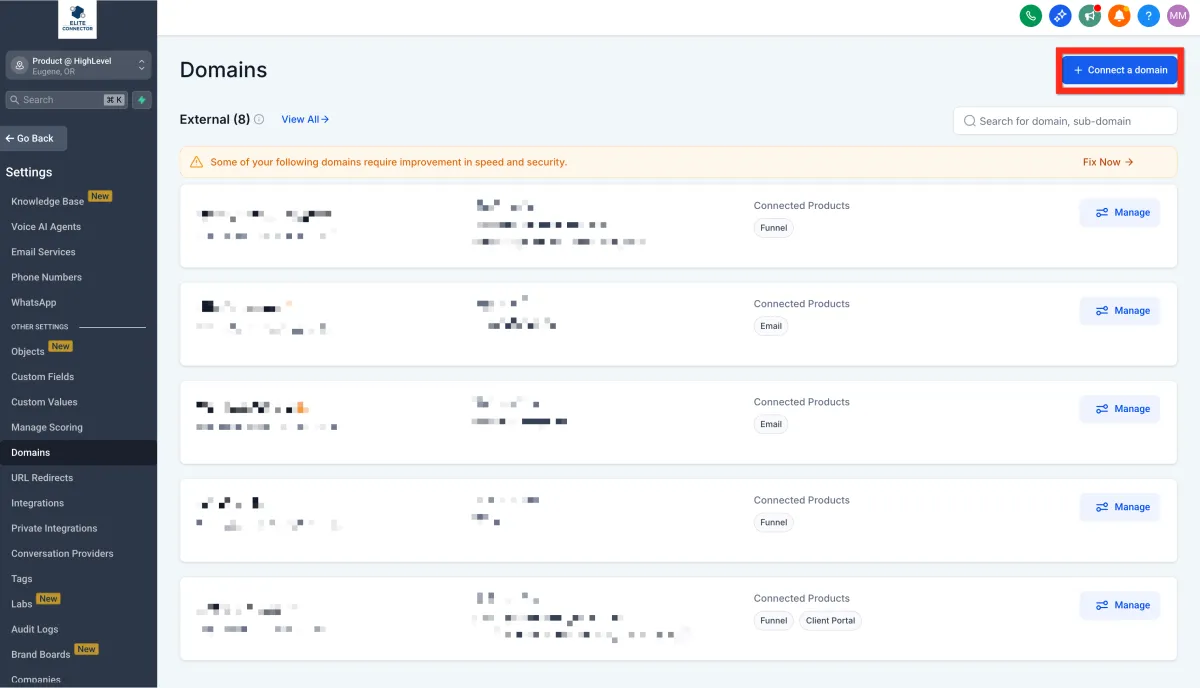
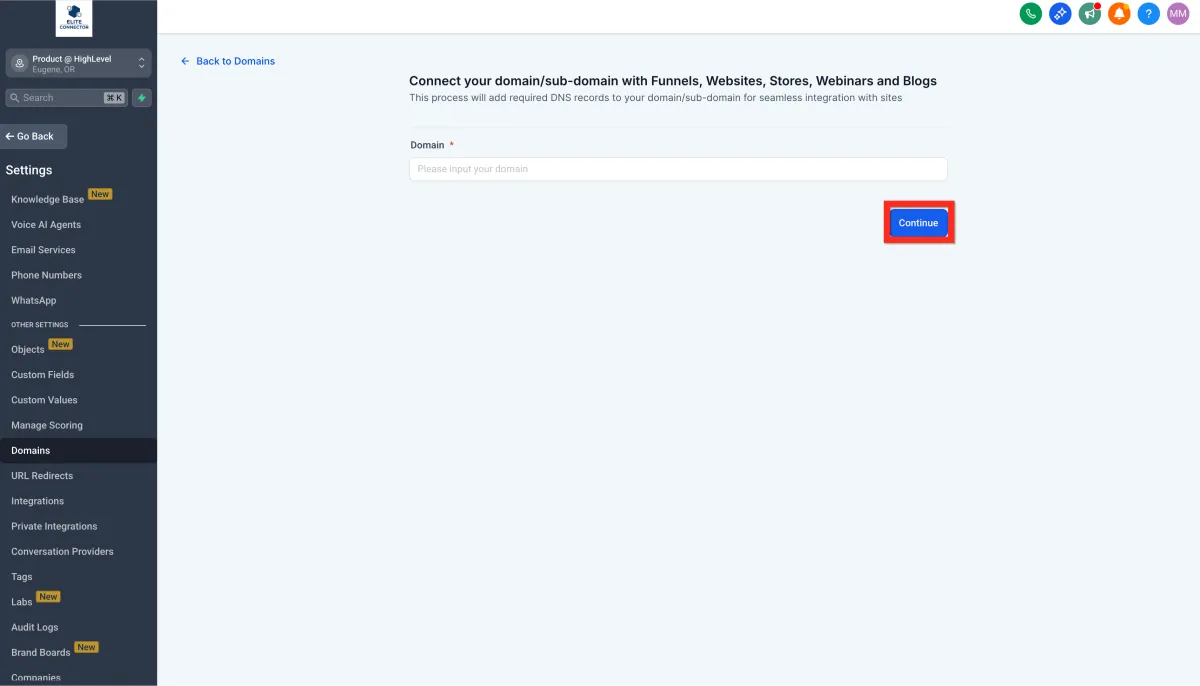
3. Enter your domain and click Continue.
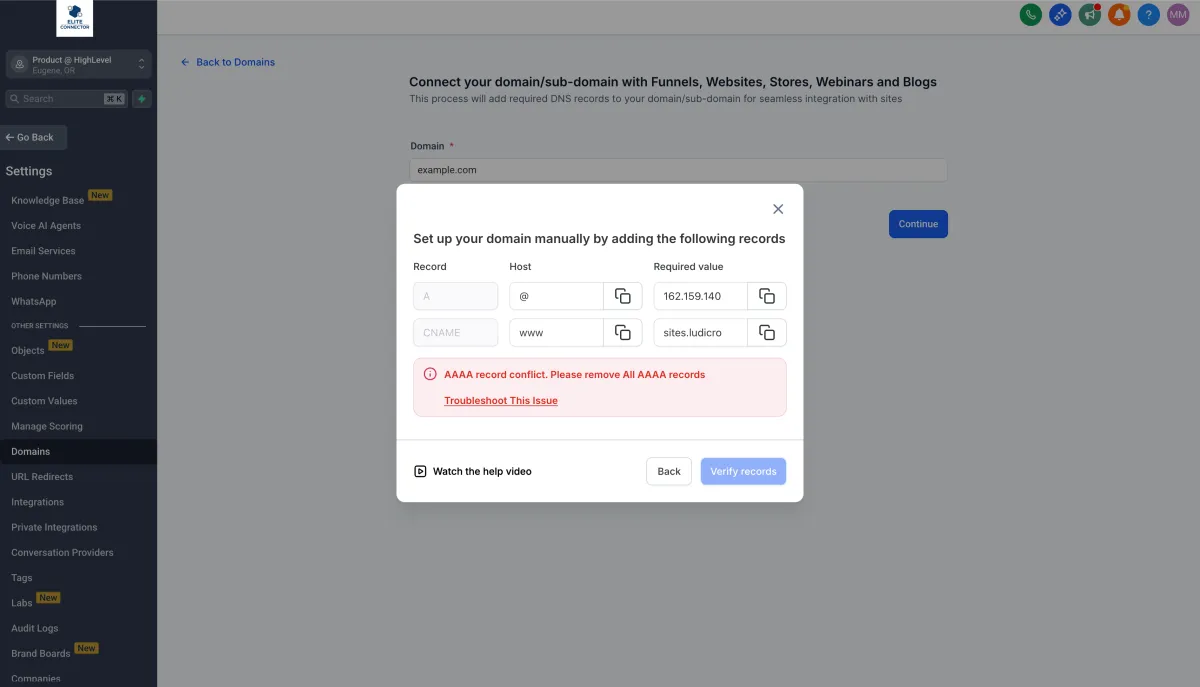
4. Follow the instructions provided to set up DNS records (varies by registrar).
5. Click Verify Records.
6. Link your domain with the funnel.
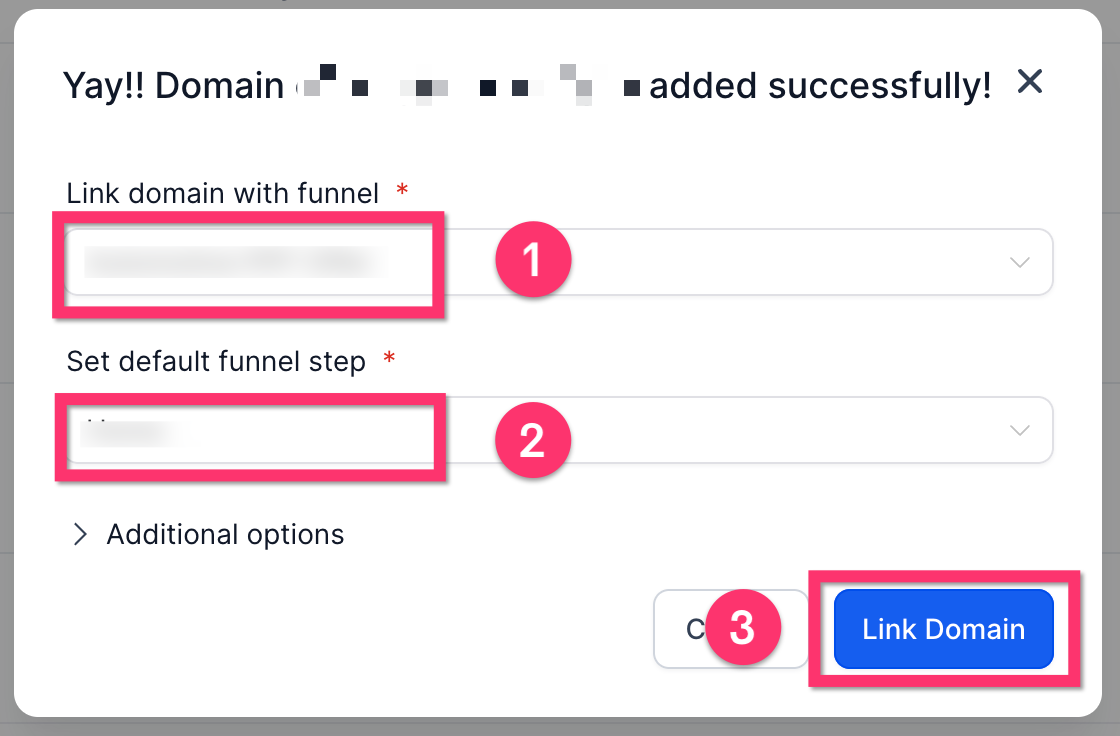
7. Click Proceed to Finish..
Learn More:
How to Add a Domain and Verify DNS Record
How to set up Root Domain/Subdomain for your Funnels/Websites?