
Getting Started - Setup Facebook and Instagram Messenger
Ever feel overwhelmed jumping between different platforms to answer messages from your customers? Let's simplify things! By connecting Facebook and Instagram Messenger directly to your CRM, you'll have all your conversations in one spot. You'll streamline your responses, engage with your customers faster, and ultimately create a smoother communication experience for everyone involved.
TABLE OF CONTENTS
Integrate Facebook & Instagram
Link Instagram to Facebook
Integrate Facebook & Instagram
First, let's get Facebook and Instagram working together within your CRM. This integration will be a game changer in how quickly and effectively you communicate with customers.
Head over to Settings > Integrations.
Click on Connect under Facebook & Instagram.
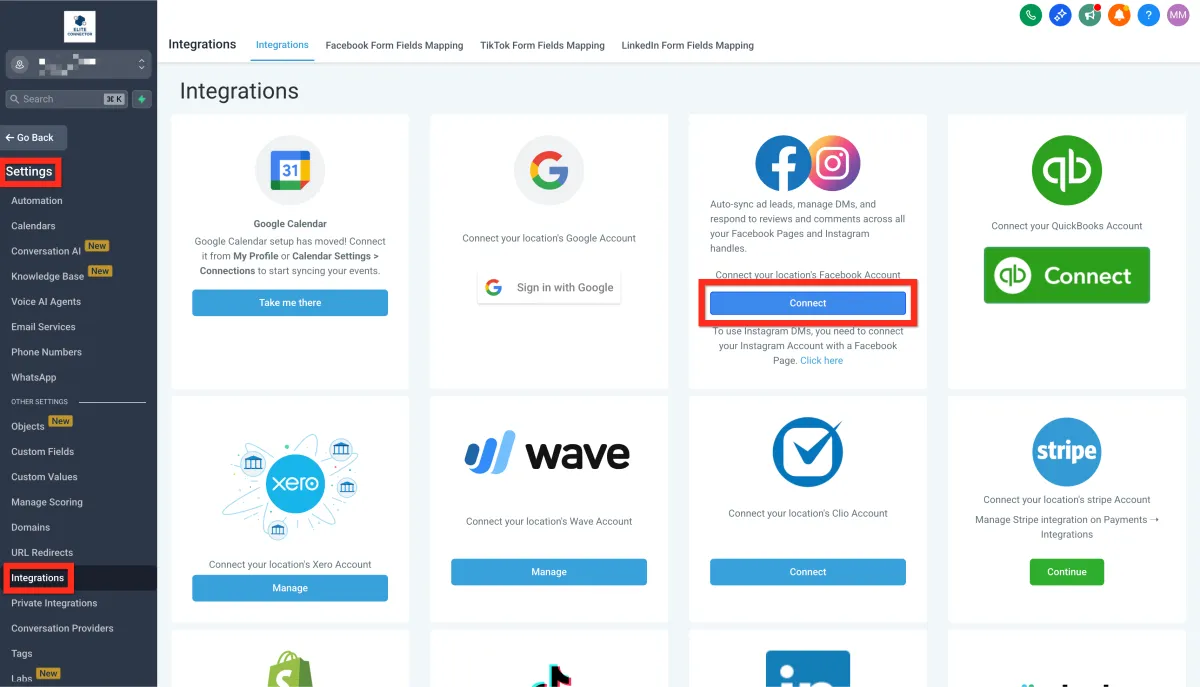
Log in to Facebook and choose your Facebook page (make sure it's the one connected to Instagram).
Click Connect Facebook & Instagram.
Lastly, hit Sync Leads.
How Facebook and Instagram messages create contacts
When someone messages your business on Facebook or Instagram for the first time, HighLevel creates or updates a contact based on your Contact Deduplication Preferences.
If the person later shares an email or phone number that matches an existing contact and Allow Duplicate Contact is turned off, HighLevel automatically merges the messenger contact into that existing record so you keep one complete profile.
If Allow Duplicate Contact is turned on, the automatic merge does not run and separate contact records may exist for the same person.
Link Instagram to Facebook
Now, let's ensure Instagram and Facebook are fully linked so your messages flow seamlessly into one inbox. Trust us—this step will save you tons of time!
Navigate to your Facebook account and log in to your page.
Click on Account > Settings.
Use the search bar to find Linked Accounts.
Select Instagram and click Connect.
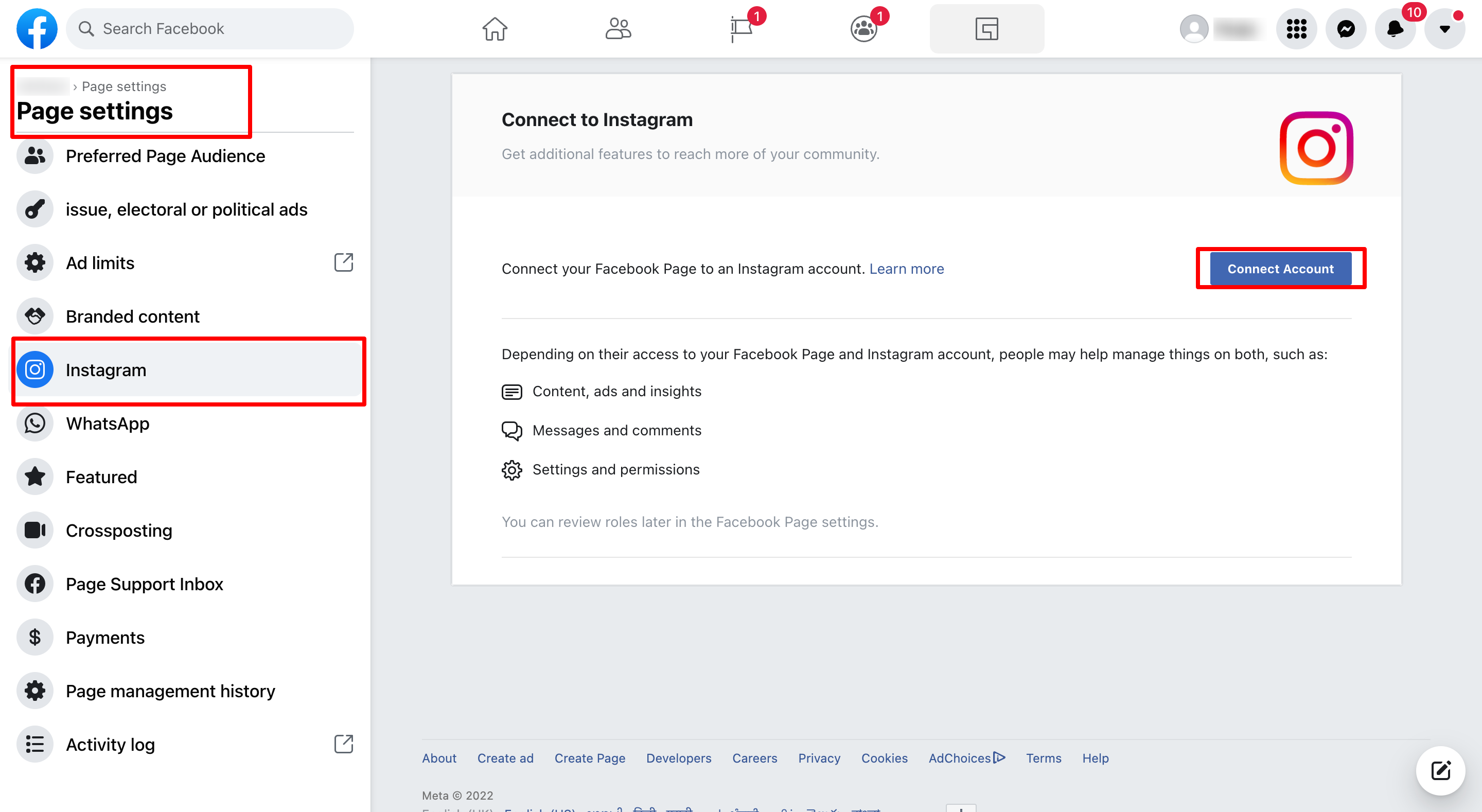
Keep the toggle on to enable Instagram messages to appear in your inbox.
Authenticate your Instagram login credentials
Fantastic job! You're now set up to effortlessly handle your social interactions. Next, consider testing the integration by sending a test message to confirm everything is working smoothly.